Showing posts with label TEXTJOIN. Show all posts

Sunday, February 23, 2025

Creating Vertical Lists with Checkboxes

 =TEXTJOIN(CHAR(10), TRUE, FILTER(B4:B5, C4:C5=TRUE))

Today, I realized you can use a formula to make a list inside a cell in Google Sheets. 

Why would you want to do this?

In my case,  I am trying to make the IEP/ILP process smoother. It doesn't make sense to keep rewriting information each time you write a report about a student. I think using a Google Sheet to make a document will be easier. 

I was able to put text together using TEXTJOIN and separated by a space or by comma before, but ChatGPT showed me that I could add the CHAR(10) -- line break -- to a formula to make the list.

This formula puts checkmarks in a list, in order of day, combined with the labels from the matrix.
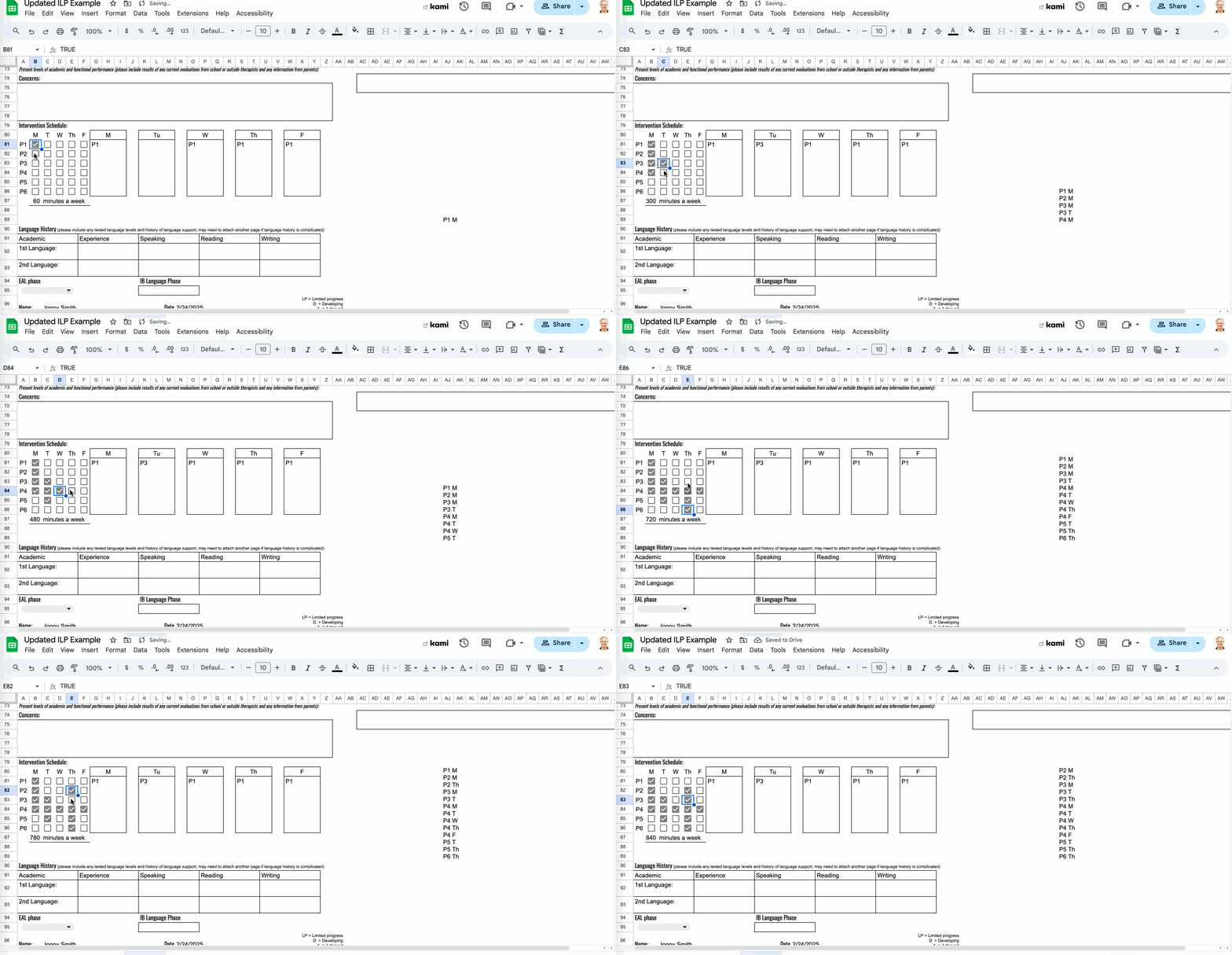

Save this formula for later. 
=TEXTJOIN(CHAR(10), TRUE, ARRAYFORMULA(IF(B81:F86, A81:A86 & " " & B80:F80,)))

I ended up separating them out into the columns to the right of the checkboxes.

Monday, September 12, 2022

Working on Putting Together Email Addresses

My coding club has a spreadsheet of student accounts. Each account needs me to make an individual email address. Fortunately, they all follow the same pattern

firstname.lastname@ymca.ca

The first formula I tried was TEXTJOIN. 

This formula =TEXTJOIN(".",TRUE,A141,B141,"@ymca.ca"), gave me the following.


Firstname.Lastname.@ymca.ca


Then I needed to change the capital letters to lowercase, so I used the LOWER function, =LOWER(I139), which gave me

firstname.lastname.@ymca.ca

Looking for a way to remove the period after "lastname", I tried the SUBSTITUTE function, =SUBSTITUTE(I140," ","."), which gave me the following result.

firstname lastname @ymca.ca

Frustrated, I Googled the answer.

SOLUTION

The CONCAT function.